 Hammasi bittada COB LED televizori
  Moslashuvchan LED displeylar
  Shaffof LED displeylar
  Led plakat
  Dumaloq LED displeylar
  Ijodiy va maxsus LED displeylar
 Dumaloq LED displeylar
P1.25 – P6.0 · 7 ta model · Diametri 0.3 m dan 6 m+ gacha
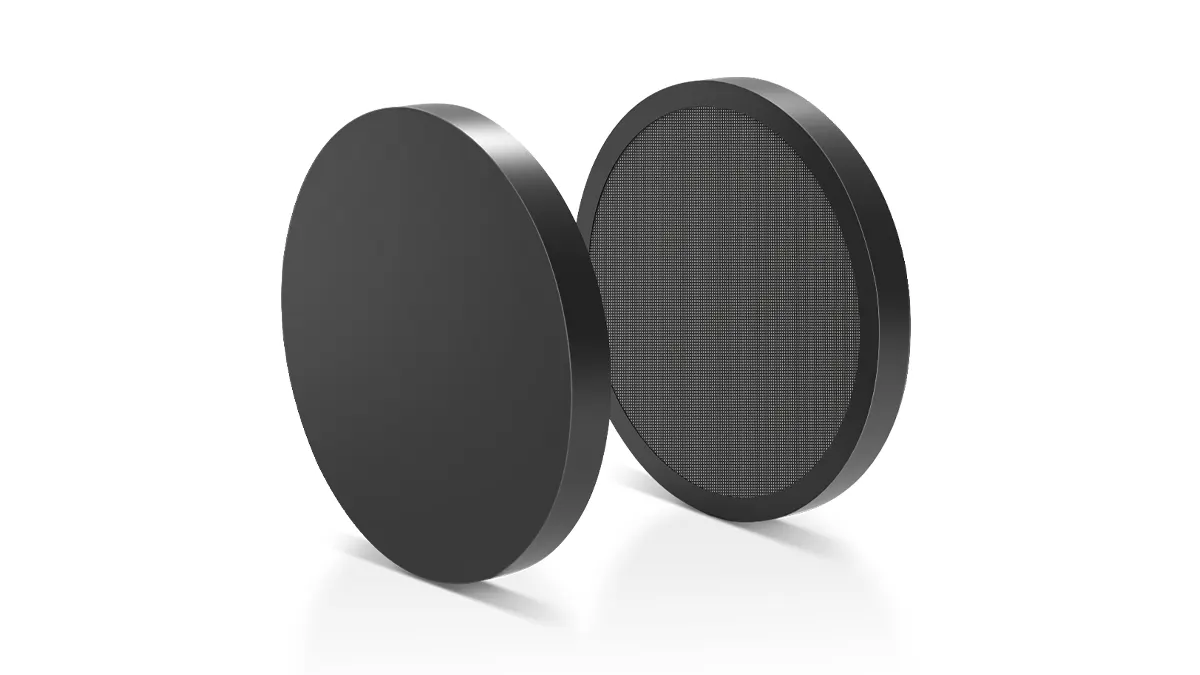


Dumaloq LED displey — Jismoniy umumiy ko'rinish
Ramka konstruksiyasi, modul yoyini o'rnatish va masshtablash. Har bir displey yetkazib berishdan oldin yig'iladi va oxirgi tur konfiguratsiyasida sinovdan o'tkaziladi.
 Old ko'rinish — To'liq aylana bilan yoritilgan
 Modul — Ark o'rnatish tafsilotlari
 Masshtab ma'lumotnomasi
Dumaloq LED displeylar qanday ishlab chiqilgan
Dumaloq LED displey yumaloq kesimli to'rtburchaklar panel emas - u elektron platadan yumaloq shaklda ishlab chiqilgan.
Har bir dumaloq LED displey sizning diametringiz va piksel balandligi talablaringizdan boshlanadi. Moslashuvchan LED modullari aniq yoyga egilgan va aniq ishlov berilgan strukturaviy ramkaga o'rnatilgan - ichki o'rnatish uchun alyuminiy, tashqi o'rnatish uchun temir. Ramka sizning aniq diametringizga mos ravishda ±1 mm bardoshlik bilan ishlab chiqariladi, bu esa mukammal dumaloqlikni ta'minlaydi.
Maxsus CAD dizayni so'rovnoma olinganidan keyin 72 soat ichida yetkazib beriladi. U yerdan biz PCB joylashuvi, strukturaviy ramka ishlab chiqarish, LED modul ishlab chiqarish va boshqaruv tizimini sozlash bilan shug'ullanamiz — bitta yetkazib beruvchi, bitta aloqa nuqtasi. Standart modellar 25-30 kun ichida yetkazib beriladi; maxsus o'lchamlar 45-60 kun ichida tayyor bo'ladi.
Bir qarashda
- ✓ Pixel Pitch:P1.25 – P6.0 mm
- ✓ Diametri:0.3m – 6m+
- ✓ Atrof muhit:Ichki + tashqi
- ✓ Tomonlama:Yagona + Ikki tomonlama
- ✓ Asosiy:Ramkali + Ramkasiz
- ✓ Boshqaruv:Oy hujayrasi (Asinxron + Sinxron)
- ✓ Yangilash darajasi:3,840Hz
- ✓ kafolat:2 yil
Tanlov bo'yicha takliflar bering, muqobil seriyalarni (ichki zanjir) ko'rsating va muhandisning 24 soatlik javobi bilan yakunlang.
Bizning aylanma displeylarimizni belgilaydigan oltita muhandislik qarori
AV integratorlari uchun muhim bo'lgan dizayn va ishlab chiqarish tanlovlari va ularning nima uchun sizning oxirgi mijozingiz uchun muhimligi.
Aniq yoy egilishi — uzluksiz aylana
Moslashuvchan LED modullari CNC bilan ishlov berilgan alyuminiy yoki temir ramkada sizning aniq radiusingizga mos ravishda egiladi. Har bir modul segmenti qo'shnisiga 0.5 mm dan kam bo'shliqqa bardoshlik bilan mos keladi, bu esa normal ko'rish masofalarida ko'rinadigan choklarsiz uzluksiz dumaloq tasvir yuzasini hosil qiladi. Strukturaviy ramka siz belgilagan diametrning ±1 mm gacha ishlab chiqariladi.
0.3 m dan 6 m+ gacha — istalgan diametr, bitta ish oqimi
Ommaviy ishlab chiqarilgan, belgilangan o'lchamlarga ega to'rtburchaklar shkaflardan farqli o'laroq, har bir dumaloq displey sizning belgilangan diametringizga mos ravishda quriladi. Xuddi shu moslashuvchan modul va boshqaruv tizimi arxitekturasi zargarlik buyumlari vitrinasi uchun 30 sm dekorativ doiradan stadion atriumi uchun 6 metrli markaziy qismgacha o'zgaradi. Muhandislik chizmalari buyurtmangizni tasdiqlashning bir qismi sifatida yetkazib beriladi.
Ikkita ramka variantlari — Ikkita vizual identifikator
Ramkali modellar displey chetini o'rab turgan ko'rinadigan alyuminiy tashqi halqaga (to'q rangli anodlangan qoplama) ega - bu funktsional o'rnatish, yo'nalishni aniqlash va axborot displeylari uchun amaliy. Ramkasiz modellar tashqi halqani butunlay yo'q qiladi: LED modullari strukturaviy ramkaning eng chetigacha cho'ziladi. Ramkasiz modellar arxitektura, chakana savdo va brend muhitlari uchun tavsiya etiladi.
Ikki tomonlama — Ikkala yo'nalishdan ham ko'rinish
Ikki tomonlama dumaloq displeylar ikkita mustaqil LED ekranni umumiy strukturaviy ramkaga orqama-orqa o'rnatadi. Har bir tomonning o'z qabul qilish kartasi mavjud va u bir vaqtning o'zida turli xil kontentni namoyish qilishi mumkin. Savdo markazlari atriumlarida, mehmonxona foyelarida yoki tadbir qavatlari ustida osma o'rnatish uchun mo'ljallangan. Bir tomonlama ekranning og'irligi ~1.8 ×.
Mooncell — Asinxron ijro + Jonli HDMI
Barcha dumaloq LED displeylar asinxron ijro etishni (o'rnatilgan xotiradan kontent — bino ichida Wi-Fi orqali, tashqi makon uchun USB/LAN orqali yuklash) va jonli efir uchun sinxron HDMI kirishini qo'llab-quvvatlaydigan Mooncell boshqaruv tizimlari bilan birga keladi. Mooncell iOS/Android ilovasi yoki Windows dasturi orqali kontentni boshqarish. Tashqi makon uchun masofadan boshqarish uchun ixtiyoriy 4G moduli.
Yuk tashishdan oldin to'liq yig'ish sinovi
Har bir dumaloq LED displey Shenzhen fabrikamizda to'liq yig'ish sinovidan o'tkaziladi: displey o'z ramkasiga o'rnatiladi, yoqilgan va kontent kamida 4 soat uzluksiz ijro etiladi. Dumaloqlik muhandislik CAD chizmalariga muvofiq tekshiriladi. Biz jo'natishdan oldin ushbu QC jarayonining fotosuratlari va videolarini taqdim etamiz.
Dumaloq displeylar ta'sir ko'rsatadigan joy
Dumaloq shakl koeffitsienti to'rtburchaklar displeydan ustun bo'lgan oltita muhit — butun dunyo bo'ylab AV integratorlari tomonidan belgilangan.

Savdo markazi atriumlari
Savdo markazlari atriumlariga osilgan aylana shaklidagi LED displeylar bir vaqtning o'zida barcha qavatlardan e'tiborni tortadi. Ikki tomonlama modellar ikkala kirish yo'nalishidan ham ko'rinishni ta'minlaydi. Standart o'rnatishlar: diametri 1.5 m dan 4 m gacha.

Sahna fonlari va jonli tadbirlar
Dumaloq LED fon sahna dizaynini o'zgartiradi. Ijara kompaniyalari ularni modulli markaziy qismlar sifatida joylashtiradilar — orqa devor uchun bir tomonlama, aylanma chiqishlar uchun ikki tomonlama. Mooncell asinxron ijrosi oldindan dasturlashtirilgan ketma-ketliklarni qo'llab-quvvatlaydi.

Brend flagman do'konlari
Ramkasiz dumaloq displeylar flagman chakana savdosida brend identifikatsiyasining markaziy qismi bo'lib xizmat qiladi. Dumaloq shakl brend logotiplarini aks ettiradi va toza me'moriy markazni yaratadi. 1-2 metrdan yaqin masofadan ko'rish uchun P1.25–P1.5.
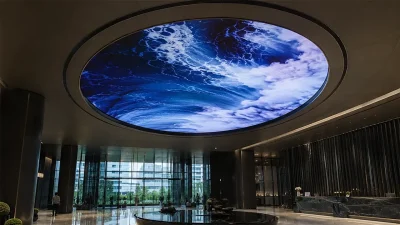
Mehmonxona foyelari va qabulxonalari
Qabulxona orqasiga o'rnatilgan yoki foyeda osilgan 2-3 metrli dumaloq displey unutilmas birinchi taassurot qoldiradi. Ramkasiz ikki tomonlama displey kirish joyi, o'rindiqlar va lift yonbag'irlaridan ko'rinishni maksimal darajada oshiradi.
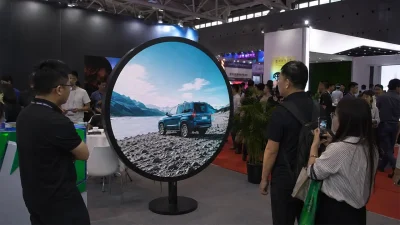
Ko'rgazmalar va muzeylar
Doira shaklidagi displeylar immersiv eksponat elementlari sifatida — planetariylar, vaqt jadvali displeylari, meʼmoriy hikoyalar. Polda turgan postament modellari strukturaviy oʻzgartirishlarsiz joylashtirish imkonini beradi. 1.5–3 metrlik tomosha uchun P1.5–P2.5.
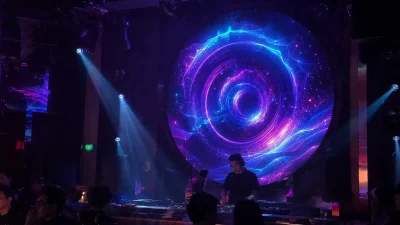
Tungi klublar va ko'ngilochar joylar
Shiftga o'rnatilgan dumaloq LED displeylar yorug'lik va audio bilan sinxronlashtirilgan bo'lib, raqs maydonchasida o'ziga xos muhit yaratadi. Tashqi makon uchun mo'ljallangan modellar (P2.5–P4) yarim ochiq teraslar va tomdagi panjaralardagi kondensatsiyani boshqaradi.
Xonangizning o'lchamlarini, operatordan ekrangacha bo'lgan masofani va atrofdagi yorug'lik sharoitlarini bizga yuboring (lyuks o'lchamlari afzalroq). Bizning muhandislarimiz 24 soat ichida ohang va yorqinlik bo'yicha tavsiyalar berishadi — bepul, hech qanday majburiyatsiz. Loyihangizning texnik xususiyatlarini yuboring →
Dumaloq LED displey — 7 ta model, to'liq texnik xususiyatlar
Hammasi bir xil ta'minot zanjiri, QC standartlari va 15 kishilik muhandislik jamoasiga ega. Farqi piksel balandligi, muhit va konfiguratsiyada.
Pixel Pitch bo'yicha tavsiya etilgan ko'rish masofasi
| model | pixel Pitch | Min. Ko'rish masofasi | Maqbul tomosha masofa | Odatda dastur | Nisbiy o'lcham |
|---|---|---|---|---|---|
| qí 1 | líní | língíní | māngīngī | Odatdagi ilovalar | |
| qí 2 | líní | língíní | māngīngī | Odatdagi ilovalar |
Dumaloq LED amaliy tadqiqotlari
Bitta hujjatlashtirilgan o'rnatish — mijozning qisqacha mazmuni, muhandislik muammosi, yechim va biz o'rgangan joyida tuzatish.

Circular Outdoor — Muhandislik ishlari olib borildi, tasdiqlandi, birinchi dala o'rnatilishini kutmoqda
Ilgari LED tajribasi bo'lmagan mijoz shiftga osilgan, birlashgan geometrik naqshni hosil qiluvchi ajratilgan halo sektorlari bilan o'ralgan, shipga osilgan, 3 m diametrli chegarasiz dumaloq displey (P2.5) ni xohladi. Osma konstruksiyalar o'z ramkasidan uzoqlashadi, chegarasiz doira va ajratilgan halolarni standart kvadrat panellardan niqoblab bo'lmaydi - har bir PCB maxsus chizilgan bo'lishi kerak edi - va birlashtirilgan chegara qutisi standart 4K protsessor ish jarayonidan tashqari 3,840 × 3,840 pikseldan oshdi.
Maxsus o'rnatish nuqtalari bo'lgan og'ir yuk ko'taradigan ichki alyuminiy halqali ramka, har bir P2.5 moduli teskari o'rnatish uchun mo'ljallangan yuqori kuchli N52 neodim magnitlariga yangilangan, doira va halqa sektorlari uchun 100% maxsus chizilgan fan shaklidagi PCBlar va katta o'lchamli kanvasni doiraviy va fan shaklidagi mintaqalarga kesishga qodir protsessor. 45 kun ichida yetkazib beriladi.
"Chegarasiz doira nolga teng tayyor modullarni anglatadi — har bir PCB maxsus chizilgan va piksellar to'g'ri panjara o'rniga radial chiziqlarga amal qiladi. Mijozning oldindan o'rnatilgan ship nuqtalari teskari bo'lib chiqqanda, biz kadrni joyida moslashtirdik va pikselma-piksel qayta sozladik, shunda video doira va uning halolari bo'ylab uzluksiz oqardi." — Ye, Katta konstruktor muhandisi
Sizning loyihangiz birinchi Circular Outdoor joylashtirishmi?
Tasdiqlash ma'lumotlari + zavod video ulanishi haqida suhbatlashish uchun Kris Liang bilan bevosita bog'laning.
WhatsApp Kris Liang — Circular Outdoor haqida muhokama qiling →Dumaloq tashqi devor kalkulyatori
Shkaflar sonini, umumiy o'lchamlarini va quvvat talablarini hisoblash uchun devor o'lchamlarini kiriting — darhol, ro'yxatdan o'tmasdan.
Natijalar shkaflar sonini yaxlitlash asosida taxminiy hisoblanadi. Tasdiqlangan shkaflar soni va konstruktiv yukni hisoblash uchun muhandislarimiz bilan bog'laning.
Integratorlardan tez-tez so'raladigan savollar
Dumaloq LED chuqur sho'ng'inlar
To'g'ri dumaloq displeyni aniqlashga yordam beradigan texnik qo'llanmalar, xarajatlar tahlili va o'rnatish ma'lumotnomalari.